 how-to
How Can Virtual Care Providers Mitigate Cybersecurity Risks?
Quick Summary
Virtual care providers mitigate cybersecurity risks by assessing where patient data flows, using a clinical-grade telehealth platform with a signed business associate agreement, enforcing multi-factor authentication and role-based access, encrypting data in transit and at rest, and maintaining a written incident response plan. Virtual care cybersecurity is an ongoing process of review and vendor oversight, not a single purchase.
- Inventory every platform, device, app and vendor that touches patient data before assessing risk.
- Turn on multi-factor authentication for email, the telehealth platform, the electronic health record and remote access tools.
- Confirm a signed business associate agreement is in place before any patient data passes through a telehealth platform.
- Remove staff access the same day they leave, and review access levels every quarter.
- Write an incident response plan with a clinical continuity fallback and test it with a tabletop exercise at least once a year.
Table of Contents
- Why Virtual Care Creates New Cybersecurity Exposure
- Telehealth Cybersecurity Best Practices for Your Platform and Devices
- Healthcare Cybersecurity Risk Assessment Step by Step
- Telehealth Vendor Risk Management and Contract Safeguards
- Building a Telehealth Incident Response Plan
- Your Next Step: Schedule a Virtual Care Security Review
- Frequently Asked Questions
Why Virtual Care Creates New Cybersecurity Exposure
Virtual care has moved from emergency workaround to everyday practice across Texas clinics, and that shift brings real risk. Every video visit, portal message and remote prescription sends patient data across networks your practice may not fully control, which makes virtual care cybersecurity a core concern for every clinic. (Source: Health Insurance Portability and Accountability Act)
Protected health information is the core asset at stake. When a telehealth session runs on a personal laptop or an unmanaged app, the data can leave the protected environment without anyone noticing.
The most common threats fall into a few groups:
- Phishing and credential theft: Fake login pages and urgent-looking emails trick staff into handing over passwords.
- Ransomware: Attackers lock scheduling and records systems until a payment is made.
- Unauthorized access: Former staff, shared logins and weak device controls let the wrong people in.
- Insecure platforms: Consumer video tools may lack the safeguards a clinical setting requires.
A common mistake is assuming that a vendor's compliance badge covers everything. The platform may be secure, while the clinic's own settings, devices and habits are not. Your risk lives in the whole chain, not one product.
Telehealth Cybersecurity Best Practices for Your Platform and Devices
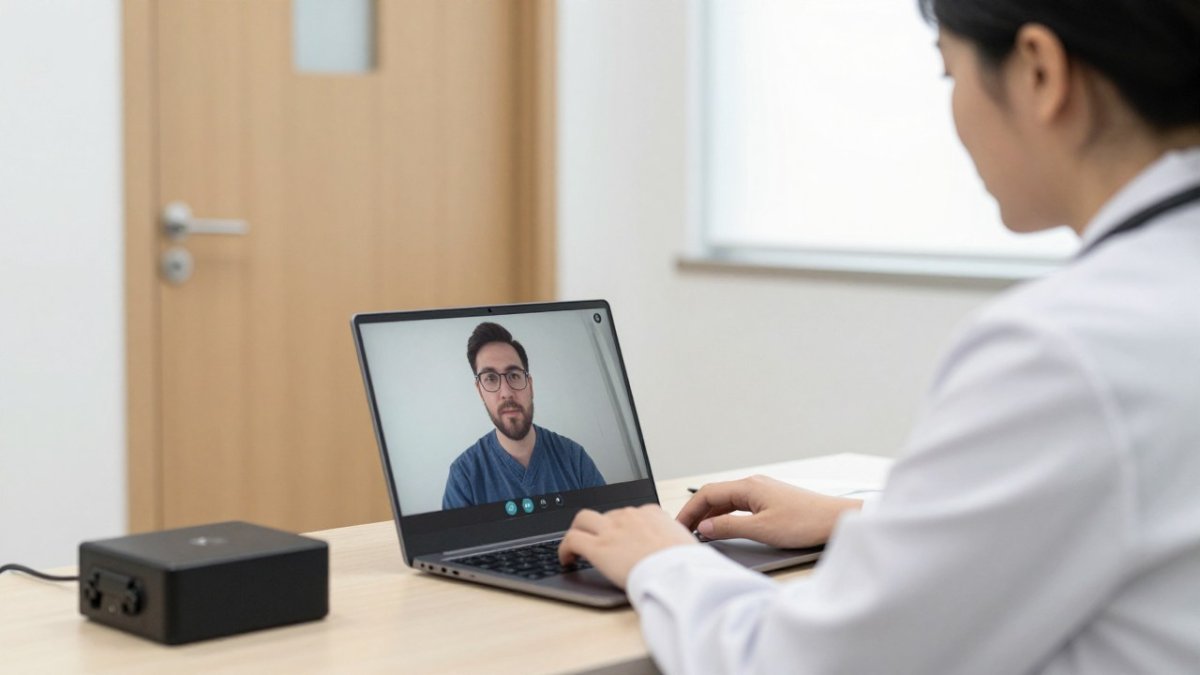
Start with the tools patients and staff touch every day. Choose a telehealth platform built for clinical use, and confirm it signs a business associate agreement before any patient data passes through it. Then lock down the devices that connect to it.
Keep these basics in place:
- Use managed devices with automatic updates turned on.
- Disable file sharing and screen recording unless a clinical workflow needs them.
- Set session timeouts so an unattended screen locks quickly.
- Remove apps that are not approved for patient information.
Access Control and Multi-Factor Authentication
Access control decides who can see what, and it is one of the most effective parts of virtual care cybersecurity.
Multi-factor authentication (MFA) adds a second check beyond a password. Turn it on for email, the telehealth platform, the electronic health record and any remote access tool.
Review access every quarter. Remove accounts for departed staff the same day they leave.
Encryption for Data in Transit and at Rest
Encryption scrambles data so that intercepted information stays unreadable. Data in transit, such as a video stream or a message sent between devices, should travel over encrypted connections. Data at rest, such as stored records and backups, should be encrypted on the server and on laptops.
Ask every vendor to confirm both. A vendor that cannot describe its encryption in plain terms is a warning sign.
Home-Network and Personal-Device Risks
Many clinicians now see patients from home. A home network may have weak router passwords, outdated firmware and smart devices that few people monitor. A child's tablet or a smart speaker on the same Wi-Fi can become an entry point.
Set clear rules. Clinical work should happen only on managed devices. Use a separate network or a VPN for remote sessions where possible. Keep router firmware current and change default passwords.
Healthcare Cybersecurity Risk Assessment Step by Step
A risk assessment shows where your practice is most exposed. It is the starting point for every other safeguard in this guide. Work through these steps in order:
- Inventory your systems. List every platform, device, app and vendor that touches patient data.
- Map where data flows. Trace how information moves from intake to visit to billing.
- Identify threats. Note the risks most likely to affect each system, such as phishing or lost laptops.
- Rate likelihood and impact. Score each risk so the most serious ones rise to the top.
- Assign owners. Name one person responsible for each fix.
- Set deadlines and track progress. Revisit the list at least once a year.
Measuring progress with simple numbers, such as the share of staff who have completed security training or the share of accounts with MFA enabled, can show whether security is improving over time.
Telehealth Vendor Risk Management and Contract Safeguards
Your vendors can be your biggest exposure. Because a BAA cannot replace ongoing oversight, assess how each vendor protects teletherapy sessions and patient privacy, including the safeguards discussed by Harmony and Wellness Health.
Most practices treat vendor review as a one-time signature at onboarding. A more useful approach maps vendor oversight to the virtual-care lifecycle, so each stage has a specific check:
- Onboarding and contracting. Before any patient data flows, collect the vendor's security documentation, confirm a signed BAA is in place, and record which data categories the vendor will touch. Ask for the vendor's most recent independent audit report (for example, a SOC 2 Type II report) and read the exceptions section, not just the cover page.
- Configuration and go-live. Confirm the settings you rely on are actually enabled, encryption, audit logging, role-based access, session timeouts and MFA. Vendors often ship with permissive defaults, and the clinic's configuration is where most exposure sits.
- Appointment operations. Know which vendor systems sit in the live visit path (video, chat, e-prescribing, eligibility checks) and what happens to the visit if one fails. Ask the vendor to describe its uptime commitments and its status-page and outage-notification process.
- Data storage and retention. Confirm where data is stored, how long it is retained, how backups are encrypted, and how data is returned or destroyed at contract end. Get the destruction timeline in writing.
- Offboarding. Revoke vendor access the same day a contract ends, confirm data return or deletion, and remove the vendor from your system inventory so it does not linger as an unmonitored exposure. (Source: NIST Cybersecurity Framework)
Before signing, ask each vendor these questions and put the answers into the contract:
- How do you encrypt data in transit and at rest, and which standards do you use?
- Do you have independent security audits, and can we see the results under NDA?
- How and how fast do you notify us of a breach, and who is our named security contact?
- Where is our data stored, and which of your staff and subcontractors can access it?
Put the answers into the contract.
Keep a live vendor inventory with an owner, data categories, BAA status, last review date and next review date for each entry.
Before signing with a telehealth vendor, these are the questions to put to each one and the contract terms that should follow.
| Contract safeguard | What it covers | Why it matters |
|---|---|---|
| Business associate agreement | Signed BAA before any patient data flows | Required under the HIPAA Security Rule |
| Breach notification timeline | Notice that lets you meet your own duties | Keeps your HIPAA notification clock workable |
| Data return or deletion | Terms and timeline at contract end | Prevents data lingering with the vendor |
| Audit rights | Ability to review vendor security | Verifies claims instead of trusting them |
| Subcontractor notice | Advance notice before material changes | Keeps fourth-party risk visible |
| Recovery objectives | Recovery time and recovery point targets | Defines how fast care resumes after an outage |
Building a Telehealth Incident Response Plan
Even strong defenses fail sometimes.
Assign roles before anything happens, so each person knows what to do.
A workable plan covers:
- Detection and reporting. A single, well-known channel for staff to report suspicious activity, a strange login alert, a locked file, a patient reporting a fake portal message. Set a target time to acknowledge a report.
- Containment. Steps to isolate affected devices, disable compromised accounts, revoke active sessions and, where needed, take the affected platform offline. Keep a printed contact list so containment does not depend on the system that is down.
- Clinical continuity. A documented fallback for each virtual-care function: how to reschedule or convert visits, how to reach patients if the portal is unavailable, how to handle prescriptions and refills if e-prescribing is down, and how to document care delivered during the outage.
- Communication. Who notifies leadership, patients, vendors and regulators, and on what timeline. HIPAA breach notification duties run on the clock, so pre-draft the notification templates and identify who signs off.
Build scenario playbooks for the events most likely to hit a virtual-care practice, because a generic plan tends to stall at the first decision:
- Account compromise. A clinician's credentials are phished. The playbook covers forced password reset, MFA re-enrollment, session revocation, a review of mailbox and portal activity, and a check for forwarding rules or new accounts the attacker created.
- Platform outage. The video or e-prescribing vendor goes down mid-day. The playbook covers patient notification, visit rescheduling, the clinical fallback, and how to document the disruption.
- Ransomware. The playbook covers isolating affected systems, not paying without legal and leadership sign-off, restoring from tested backups, and the notification analysis.
- Suspected exposure of patient data. The playbook covers preserving evidence, scoping which patients and data categories are affected, and starting the breach-risk assessment that drives notification decisions.
Practice the plan at least once a year with a tabletop exercise, and rotate the scenario so the team rehearses an outage and an account compromise, not just ransomware.
Legal questions after a breach, including notification duties under federal law and applicable state law, are easier to answer when you have already mapped them out.
Your Next Step: Schedule a Virtual Care Security Review
Virtual care security is not a one-time project. It needs regular checks, clear ownership and contracts that protect your practice. Start with the risk assessment, fix the highest-ranked gaps first, and document each step.
If you run a Texas clinic or healthcare startup and want a clear view of your exposure, schedule a consultation with Brewster Law Firm, PLLC. Book a Consultation today.
Frequently Asked Questions
What are the main cybersecurity risks in telehealth?
The most common risks in telehealth are phishing emails that capture staff login credentials, ransomware that locks clinical systems, unauthorized access through weak or shared passwords, and insecure home networks or personal devices used for patient visits. Unsecured video sessions and unvetted third-party apps also expose protected health information. Practices reduce these risks by requiring multi-factor authentication, encrypting data in transit and at rest, training staff to spot phishing, and limiting which devices can access patient records. A documented risk assessment helps identify which of these threats matter most for your specific workflows.
How can a healthcare practice secure telehealth platforms and patient data?
Start by confirming that your telehealth platform signs a business associate agreement and supports encryption for video and file transfers. Enforce unique logins with multi-factor authentication, restrict access by role, and turn on automatic session timeouts. Keep software and devices patched, and back up patient records so you can recover from ransomware. Review access logs regularly to catch unusual activity. Federal HIPAA rules set the baseline for protecting health information, and you should confirm current requirements with the U.S. Department of Health and Human Services before finalizing your policies.
What should a telehealth incident response plan include?
A telehealth incident response plan should name who leads the response, list contact details for IT, legal counsel and your platform vendor, and describe how staff report a suspected incident. It should include steps to isolate affected accounts or devices, preserve logs, and restore service from clean backups. The plan also needs a process for determining whether patient information was compromised and for meeting breach notification deadlines under HIPAA and applicable Texas law. Test the plan with a tabletop exercise at least once a year so staff know their roles before an outage occurs.
How should healthcare providers assess cybersecurity risks from telehealth vendors?
Inventory every vendor that creates, receives, stores or transmits patient information, including video platforms, billing tools and cloud storage. Request each vendor's security documentation, such as independent audit reports or completed security questionnaires, and confirm it will sign a business associate agreement. Review how the vendor handles encryption, data retention, breach notification and subcontractors. Reassess high-risk vendors at least annually and document your findings, because regulators expect practices to show ongoing oversight of their technology partners.